Settings issues
Settings cards are permission-filtered and many actions are filtered again by state. Seeing a page without an edit action does not prove a product defect.
Role and access: an administrator checks effective permission; users do not
expand their own scope. Start at /settings; two common specialist areas are
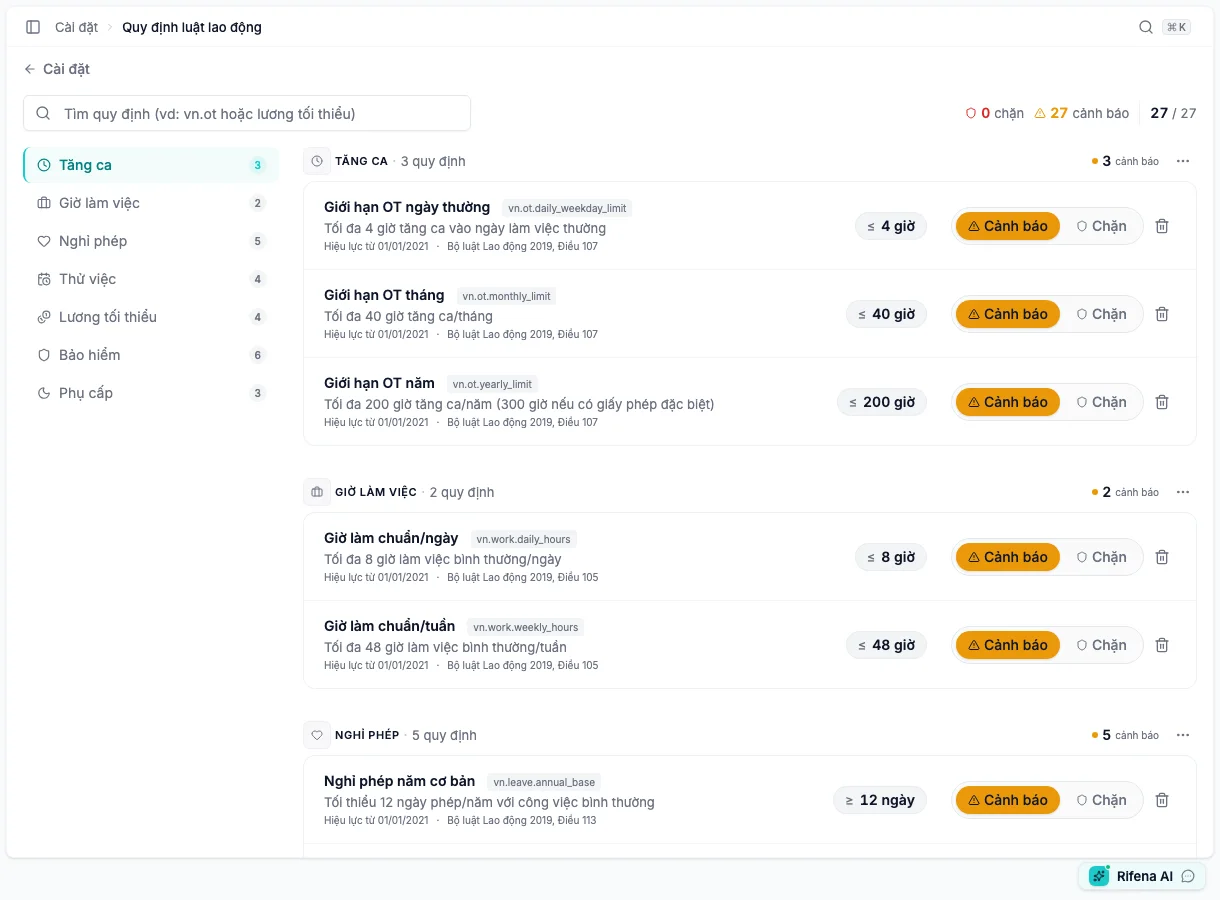
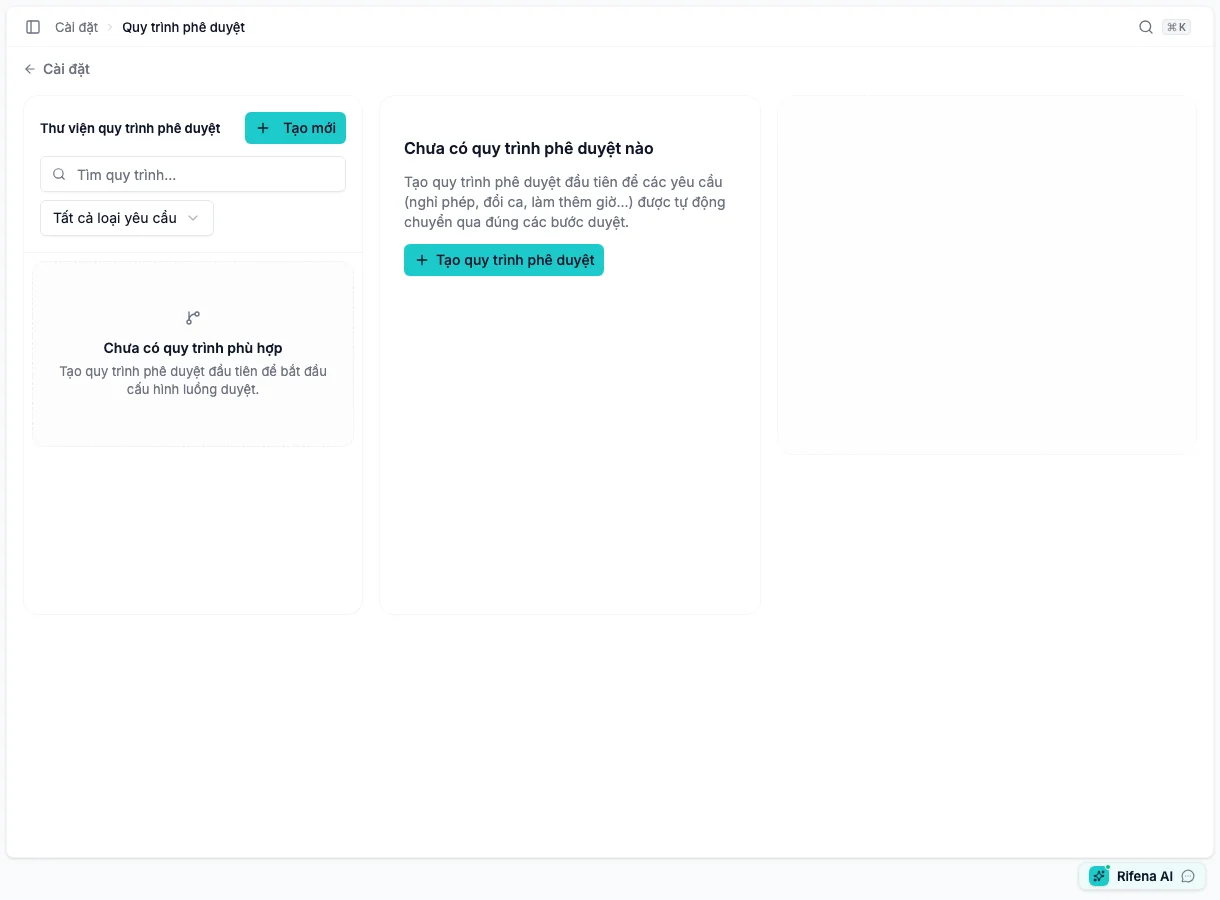
Labor law rules at /settings/labor-rules and Approval workflows at
/settings/workflows.
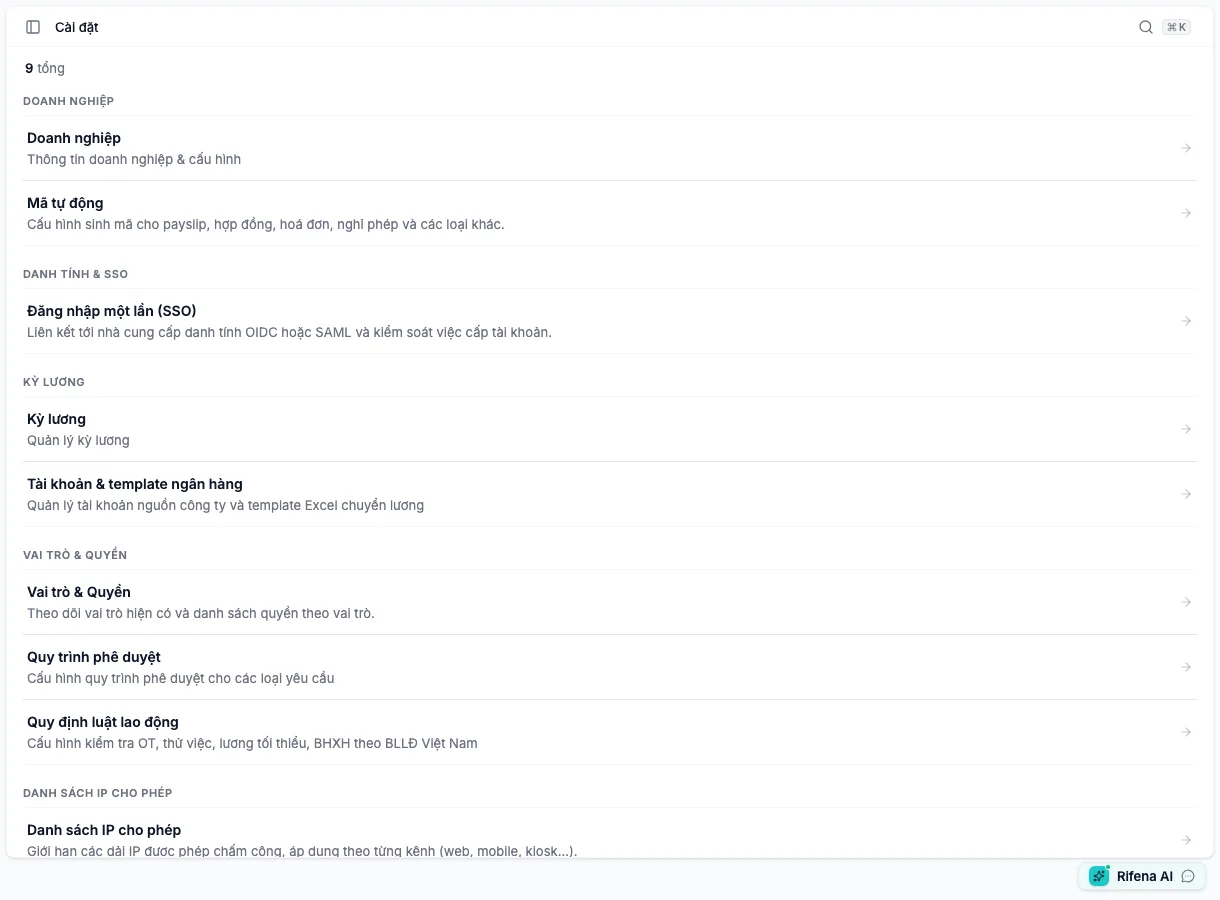
A Settings card is missing
- Selected organisation.
- Active role/assignment.
- Whether permission is administration or self-service.
An administrator checks effective permission and scope under Roles & Permissions, then the user refreshes their session. Do not type the URL to bypass navigation.
Expected result: required cards appear and unrelated cards remain hidden.
Still blocked? Provide card, role, scope and assignment time.
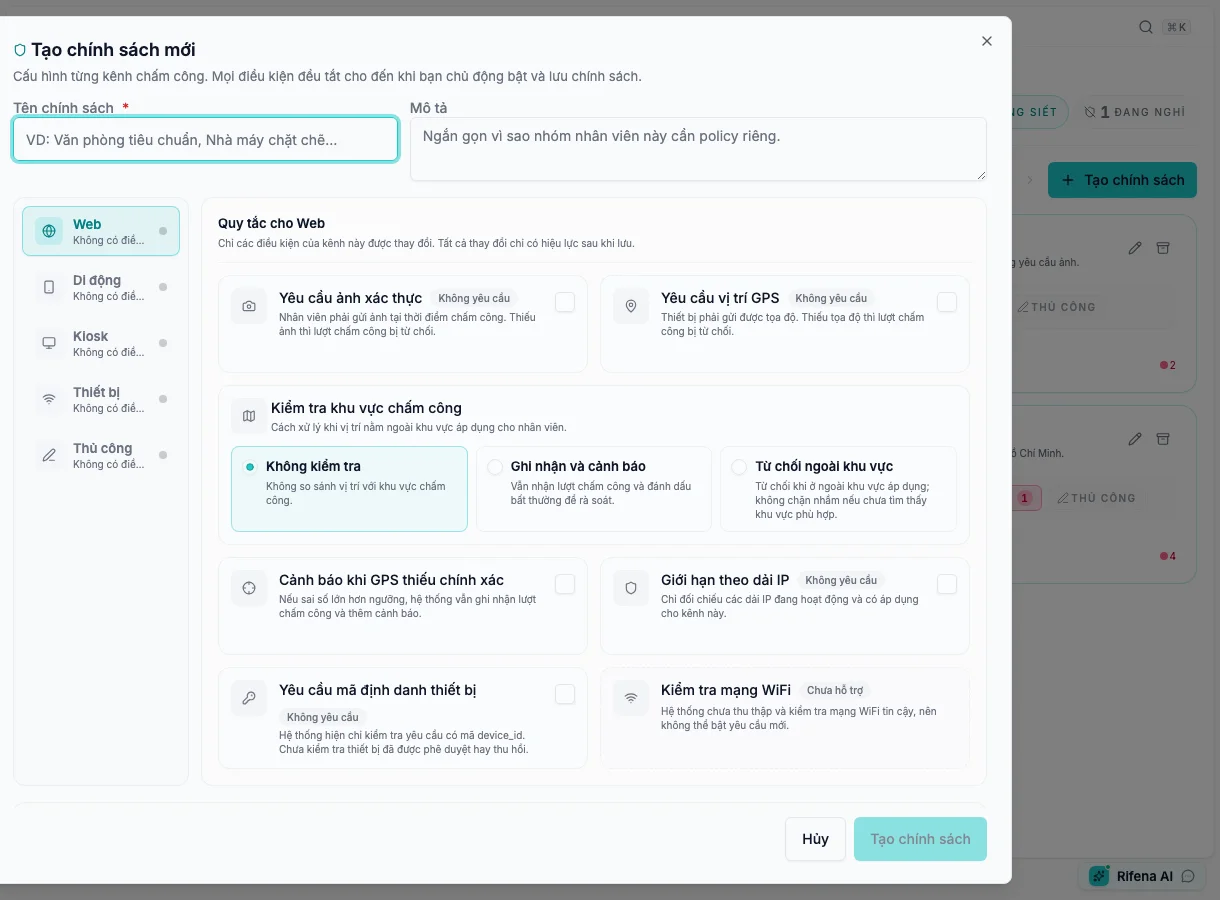
An attendance policy cannot be created or saved
- The account has policy-management rather than view-only access.
- The policy name is present; the system Default name is intentionally locked.
- An enabled GPS-accuracy warning uses a valid positive whole number.
- At least one field or requirement has really changed and no background request is still pending.
Review every channel on the left, correct the field showing an error, then read the requirement summary. Save only when the action is enabled. To leave a dirty editor, use its discard confirmation instead of reloading the page.
Expected result: a new policy appears in the list; an edited policy advances to its next version while preserving previous history.
Still blocked? Provide channel, invalid-field label, save-button state, and visible message without real coordinates, IP ranges, or verification photos.
Automatic-code counter will not reset
- A reason is entered.
- Configuration is active.
- Next code does not collide.
- Reset cycle inferred from pattern is correct.
Select a non-colliding next value or verify and edit the pattern. Do not delete old records or bypass collision protection.
Expected result: reset is stored with reason and preview shows an unused code.
Still blocked? Provide code type, preview and collision message without sensitive records.
Bank template has no Preview
- Valid .xlsx uploaded.
- The intended worksheet is first and the data-start row is correct.
- All four mappings exist: unaccented name, recipient account, amount and transfer narrative.
- Template management permission.
Move the intended worksheet first, reopen the builder and complete missing mappings. The current wizard does not switch worksheets; Preview appears only when required inputs exist.
Expected result: headers, column order and sample rows align.
Still blocked? Provide bank, worksheet and missing-column names; never full account numbers.
Approval workflow saves but will not activate
- At least one step.
- Every step resolves an approver source.
- Conditions and timeout handling are valid.
- Readiness blockers.
Keep it Inactive and fix readiness issues one by one. Do not use no-match auto-approval to bypass a required human decision.
Expected result: Active workflow routes a test request to the correct recipient.
Still blocked? Provide definition name, step count and non-sensitive readiness text.
Add labour rule is missing
- Manage versus view-only access.
- All library rules already applied.
- Category/effective-date filter.
Clear filters and review the library. If all rules are applied, change mode on existing rows; do not create duplicates.
Expected result: the action appears only with an available rule and management access.
Still blocked? Provide rule category and current role.
SSO saved but employees cannot sign in
- Configured versus Active.
- Connector-not-live warning.
- Enforce SSO is unavailable.
Keep Rifena-account sign-in. The current external OIDC/SAML connector is not live; escalate activation to the identity team and do not enforce SSO.
Expected result: users retain a safe current sign-in path; external configuration is not advertised as active.
Still blocked? Send only state and non-sensitive error text; never secrets or private certificates.
An IP change blocked clocking
- The effective policy requires IP.
- Affected Web/Mobile/Kiosk/Device/Manual source.
- An Active range applies to that source and matches the observed address.
Sign in to administration normally, correct or reactivate a verified range, or narrowly pause the IP requirement under change control. The allowlist does not control sign-in; do not open an overly broad CIDR.
Expected result: the valid clock source records an event and the outside source remains blocked.
Still blocked? Ask network administration to inspect VPN, proxy, IPv4/IPv6 and CIDR.
See Settings map and Access and notification issues.
Hand off when the issue remains blocked
Give the Settings owner the card name, route, role, scope, state, and visible message. Mask account numbers, secrets, private certificates, and employee data before attaching an image.